Crumb: Keeping Your Pets Safe
- 4.7
- Rating
- 100.00K
- Installs
- Free
- Price

 Analysis by App-foxy
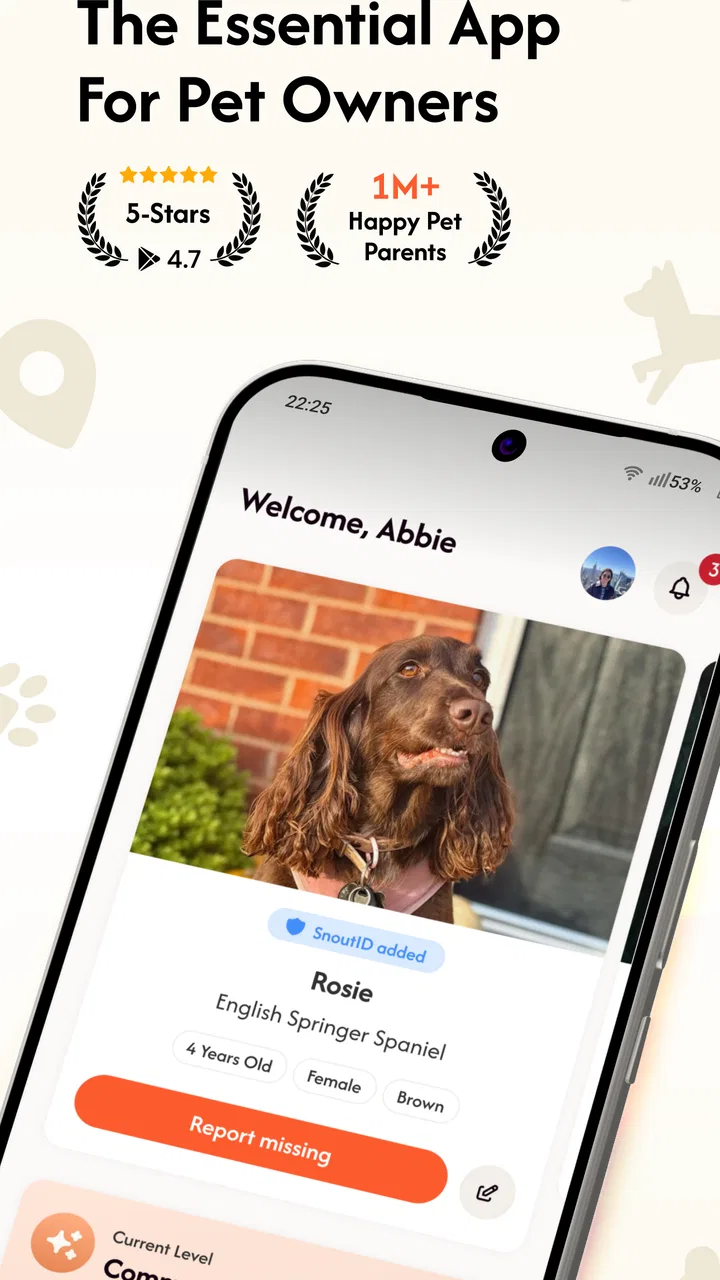
When a pet disappears, the hardest part is often not caring enough or searching widely enough. It is getting useful information in front of the right people quickly. Crumb: Keeping Your Pets Safe is built around that practical problem: it is a House & Home app from Crumb Pet that connects people who want to help bring lost pets home faster. I found its value less in flashy tools and more in turning a stressful situation into a shared local effort.
The app is free, rated for Everyone, and available for devices running Android 9 or later. It has already reached over 50 thousand installs, with a 4.7 average from around 1.5 thousand ratings and 177 written reviews. Those figures suggest that the idea is resonating with a real group of pet owners and community members, although popularity alone does not make a missing-pet search successful. The quality of the information people share, the speed of local responses, and the habits of the person using it still matter most.
How I would use Crumb when a pet goes missing
My first recommendation is to treat Crumb as part of a repeatable response plan rather than something to open only after a frantic search has already started. Before an emergency, I would install it, look through the available controls, and make sure I understand the basic flow. That small preparation removes one layer of confusion when every minute feels important.
You May Also Like

 Blood Strike: 2.5 Anniversary
Blood Strike’s Loadouts Turn Every Drop Into a Tactical Gamble
A close look at Blood Strike’s custom loadouts: how fast access to signature weapons reshapes its battle royale rhythm, rewards preparation, and narrows the gap between fights.

 Pandora - Music & Podcasts
Pandora’s Music Is Easy to Start, but Harder to Recover
Pandora’s strength is its low-effort path from a seed to a station. Its weak spot is how much confidence it asks you to place in connection, setup, and quiet recovery.

 8 Ball Pool
 Is Built on Rivalries, Rematches, and Routine
A close look at the rivalries, rematches, shared routines, and unanswered safety questions that turn a quick pool match into a persistent mobile community.

 Samsung Music
’s Quiet Strength Is Playing What You Already Own
Its reach comes less from spectacle than from dependable access to a personal library. That simplicity is both the app’s strongest retention engine and its ceiling.

 AccuWeather: Weather Radar
AccuWeather Review: A Quick, Clear Forecast for Everyday Decisions
For everyday plans, the best forecast is the one you can understand quickly. AccuWeather makes rain timing, radar, and local conditions easy to act on, with a few trade-offs.

 Hill Climb Racing
Why Hill Climb Racing Still Turns Crashes Into One More Run
A tiny car, a bumpy hill and one more upgrade: Hill Climb Racing keeps resurfacing because its simple chaos makes every near-miss feel personal.
More From Our News Desk
View All News


The baseline workflow is straightforward in principle. A pet owner needs to communicate that an animal is missing, while nearby people need a clear way to notice the situation and decide whether they can help. That means the useful information is not a dramatic story or a long explanation. It is a concise description that helps someone recognize the pet in an ordinary street, park, garden, or doorway.
I would prepare a short mental checklist before posting anything: the pet’s name, species, color, distinctive markings, approximate size, collar or harness details, the last known area, and the safest way to respond if somebody spots the animal. A recent photo is especially important because visual recognition is faster than reading a vague description. If a pet is nervous, I would also make clear that chasing may make the situation worse.
This is where Crumb can be more useful than simply posting on a personal social account. A personal post depends on friends noticing it, sharing it, and remembering which neighborhood matters. A community-focused pet app gives the alert a more relevant setting. The advantage is not guaranteed reach everywhere; it is the possibility of reaching people who are already paying attention to lost and found animals.
A realistic example would be a cat slipping out during a delivery. Instead of spending the first hour writing separate messages for several groups, I would use one carefully prepared report, then concentrate on checking nearby hiding places, speaking with neighbors, and watching for replies. If a neighbor sees the cat under a vehicle later that evening, a clear description gives them a better chance of identifying it without startling the animal.
For someone helping rather than reporting a missing pet, the best habit is to read carefully before acting. A sighting is useful when it includes an approximate location, time, direction of travel, and behavior. “I saw a similar dog” is much less helpful than “I saw a small tan dog near the corner, moving toward the footpath.” I would avoid approaching an unfamiliar animal unless it appears safe to do so, and I would not treat the app as a substitute for sensible personal safety.
The app’s purpose also means that expectations need to be realistic. It cannot make a pet visible, guarantee that a nearby user will respond, or replace direct searching. It is a coordination layer. That distinction matters because a person can use it well and still need posters, calls to local shelters, conversations with neighbors, and careful physical searching.
What I would check before relying on it
Settings deserve attention because community alerts work best when they fit the way you actually use your phone. I would check notification behavior first. If alerts are too quiet, a potential sighting may be missed. If they are too frequent or poorly timed, people may mute them entirely. The right balance is personal, but the general lesson is simple: a notification system is only useful when it remains noticeable without becoming exhausting.
I would also review the app after installing it rather than assuming the default setup is ideal. Look for controls related to alerts, account details, and the way reports are displayed. I am deliberately not treating every possible control as a promised feature; interfaces can change, and what matters is confirming what appears on your own device. The current version is 1.11.0, so users should expect that screens and options may evolve as Crumb Pet continues to maintain the app.
Another useful preparation step is deciding what information you are comfortable sharing in a public community setting. A missing-pet report needs enough detail to help recognition, but it should not casually expose unnecessary personal information. I would use a clear contact method inside the app where available and avoid adding private details that have nothing to do with finding the animal. This is a sensible trade-off between reach and privacy.
Photo preparation is an underrated part of the setup. I would keep more than one recent image available: a full-body view, a close view of the face, and an image showing unusual markings if the pet has them. The goal is not to create a polished profile. It is to give a stranger several visual clues. A pet may look different in poor light, after getting wet, or when viewed from behind.
I would also think about language. A description that makes sense to the owner may not help a stranger. “He has a funny walk” is personal but imprecise; “one rear leg appears stiff” gives a better recognition clue. At the same time, I would avoid exaggerating uncertain details. Accurate uncertainty is better than confidently sharing the wrong color, collar, or location.
People who live with multiple pets should develop a separate identification habit for each animal. Similar-looking pets can create confusion when a report is rushed. I would note the details that distinguish one from another and keep those descriptions easy to retrieve. This is one of the practical ways to turn Crumb from an emergency download into part of ordinary pet safety planning.
Faster patterns that make community help more useful
Experienced use is mostly about reducing repeated work. I would keep a small offline note with each pet’s identifying details and update the photos occasionally. Then, if a pet goes missing, I can focus on verifying the last known location and writing a precise report instead of trying to remember every detail under pressure. The note is not a replacement for Crumb; it is preparation that makes the app faster to use.
A second pattern is to separate observation from interpretation. If I see a possible match, I would record what I actually observed first: location, time, direction, and visible features. Only then would I say whether I think it could be the missing pet. This helps prevent a hopeful guess from turning into a misleading alert, and it gives the owner something concrete to act on.
Timing also changes the value of a report. A sighting from several hours ago may still matter, but a current location is usually more actionable. I would send updates when there is new information rather than repeatedly reposting the same message. Too many duplicate alerts can make a community less attentive, while a concise update helps people understand what has changed.
If I were coordinating with family or neighbors, I would assign simple roles. One person can monitor Crumb, another can search the last known area, and another can contact relevant local organizations. This avoids the common problem where everyone assumes someone else is checking messages. The app works best when it is one shared channel in a broader plan, not the only task anyone performs.
There is also a useful distinction between a lost-pet alert and a found-pet observation. A person who finds an animal should avoid assuming ownership or making promises immediately. A careful description, a safe location, and a calm update can help connect the animal with its family. I would be cautious about handing an animal to a stranger without reasonable confirmation, especially when emotions are high.
For routine use, I would open the app occasionally enough to remain familiar with its layout, but I would not expect it to replace everyday precautions such as secure doors, current identification, and supervision in unfamiliar places. The best workflow is preventative: know the pet’s appearance, know the neighborhood, and know how to communicate before a crisis begins.
These habits are more valuable than trying to discover a secret shortcut that may not exist. Crumb’s strength is the focused purpose of its community, not a complicated collection of advanced controls. If you use it with prepared photos, precise descriptions, sensible notification choices, and a clear division of responsibilities, you are more likely to get meaningful value from it.
Where the app reaches its limits
The biggest limitation is dependence on participation. A community app becomes more useful as more relevant people notice and respond to reports, but no app can force attention in a particular neighborhood. Someone in a rural area, a place with few active users, or an area where people rarely check alerts may see less benefit than someone in a highly engaged community.
That is why I would not choose Crumb as my only missing-pet strategy. Traditional alternatives still have clear advantages. A printed notice can reach someone who does not use a pet app. A direct conversation with neighbors can reveal a hiding place that an online report cannot. A call to a shelter or veterinary clinic may connect the owner with staff who have handled similar cases. Crumb complements those methods rather than making them obsolete.
It is also not the right choice for someone looking for a general pet-care manager, veterinary record system, training guide, or location tracker. Its appeal is tied to community assistance around lost pets. If your main need is feeding reminders, medical records, or continuous location monitoring, another type of app or a dedicated device would be a better fit. Installing Crumb will not turn a phone into a live tracker.
Privacy-conscious users may also want to think carefully before sharing details about where they live or where a pet was last seen. A report needs a useful area, but I would avoid unnecessary precision about my home, daily routine, or personal identity. The practical approach is to share enough for recognition and coordination while keeping unrelated private information out of the post.
There is a human limitation too: stress encourages rushed, emotional writing. A report filled with urgency but lacking a photo, location, or distinguishing feature may attract sympathy without helping someone identify the pet. I would reread the message once before publishing and ask whether a stranger could recognize the animal from it. That one check can improve the report more than adding extra emotional language.
People should also be prepared for uncertain or conflicting sightings. Several reports can describe the same animal differently because of distance, lighting, or confusion with another pet. I would compare locations and times instead of treating every message as equally reliable. Crumb can help gather clues, but the owner still has to judge which lead is plausible and which one may waste valuable time.
The app is free, which removes an important barrier for people who want to participate. Still, free access does not remove the need for a phone connection, attention, and local engagement. Someone who rarely checks notifications or does not want to interact with community reports may not gain much from installing it. The low financial cost is helpful, but the real investment is consistent participation.
Who will get the most from Crumb
I think Crumb is a strong match for pet owners who want a focused community tool ready before anything goes wrong. It is also useful for people who regularly walk dogs, spend time outdoors, or live in neighborhoods where residents actively look out for one another. Those users are more likely to notice an animal, recognize a report, and provide a useful sighting.
It can be especially helpful for households that want a shared response routine. Rather than arguing about what to do in the first few minutes, family members can follow a prepared sequence: confirm the last known place, gather the best photo, publish a clear report, watch for updates, and continue physical searching. The app does not create that discipline automatically, but it gives the routine a natural community destination.
I would be more cautious recommending it to someone who expects instant results, guaranteed local coverage, or a built-in replacement for every other lost-pet resource. It is also less suitable for users who dislike notifications or do not want to share any location-related information. In those cases, a combination of direct local contacts and physical notices may feel more controllable.
New users should not be discouraged if the first screen seems less important than the broader purpose. The real value appears when the app becomes part of a habit: keeping identification details current, recognizing useful reports, and responding responsibly when another person needs help. That is a quieter benefit than a dramatic feature, but it is the reason I can see this app earning a place on a pet owner’s phone.
My verdict after looking at the complete workflow
Crumb: Keeping Your Pets Safe is a focused, free House & Home app from Crumb Pet that approaches lost-pet recovery through community coordination. Its strongest quality is clarity of purpose. It does not need to be a complete pet-management suite to be useful; it needs to help a good report reach people who may be able to act on it.
I would install it before I need it, prepare accurate photos and descriptions, review notification choices, and combine it with direct searching and local contacts. I would also remember its limits: participation varies, reports can be incomplete, and no community feed replaces judgment or personal safety. Used with those expectations, it feels practical rather than overpromised.
The app was released on April 22, 2025, and its current version is 1.11.0. Its Everyone age rating makes it approachable for households and community members, while the growing install base and strong average rating show encouraging early acceptance. Those details are useful context, but my recommendation rests mainly on the workflow: prepare before the emergency, report clearly, verify sightings, and keep searching beyond the screen.
If you want a general pet organizer, a medical tracker, or a live GPS solution, I would look elsewhere or use another tool alongside it. If your goal is to help lost pets get noticed by a relevant community, I think Crumb is worth trying. It is at its best not as a miracle button, but as a dependable part of a calm, repeatable plan.
FAQs for Crumb: Keeping Your Pets Safe
01What is Crumb and how does it help keep my pets safe?
Crumb is an innovative app designed to enhance pet safety by using GPS technology to track your pets in real-time. It allows you to set safe zones, receive instant alerts about your pet’s location, and provides a comprehensive history of their movements. This ensures peace of mind, knowing your furry friends are safe and where they should be.
02How does the GPS tracking feature work in Crumb?
The GPS tracking feature in Crumb utilizes both GPS and cellular technology to provide accurate real-time location data of your pets. You need to attach a Crumb GPS device to your pet's collar, which then syncs with the app on your smartphone, allowing you to monitor their movements and set geofenced areas for added security.
03Is Crumb suitable for all types of pets?
While Crumb is primarily designed for dogs and cats, it can be used for other pets that are allowed to roam outdoors, such as rabbits or even larger birds. The key requirement is that the pet can comfortably wear a collar with the Crumb GPS device attached. Always ensure the device is secure and does not cause discomfort to your pet.
04What are the subscription costs associated with using Crumb?
Crumb offers various subscription plans to cater to different needs. Typically, there is a monthly or annual fee that covers the GPS tracking service, app updates, and customer support. The costs may vary based on the plan chosen, so it’s advisable to check the current pricing on the Crumb website or within the app itself for the latest information.
05Can Crumb be used internationally, and are there any restrictions?
Crumb is designed to work internationally, but its functionality can be dependent on cellular network coverage in different regions. Before traveling, it's recommended to verify coverage in your destination area. Additionally, some features might be limited or unavailable in certain countries due to local regulations or technological constraints.
Pros
- Real-time GPS tracking for pets.
- User-friendly interface design.
- Customizable safe zones.
- Instant alerts for pet movement.
- Long battery life on tracking device.
Cons
- Limited to certain geographic regions.
- Requires monthly subscription fee.
- Initial setup can be complex.
- Dependent on stable internet connection.
- Tracking device may be bulky for small pets.

Crumb: Keeping Your Pets Safe
Gallery